In-browser code tools for Salesforce CloudPages developers
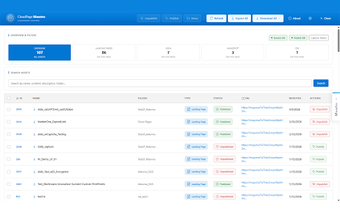
CloudPage Maestro, from mc.tools, is a Chrome extension that upgrades the CloudPages authoring experience inside Salesforce Marketing Cloud for technical editing and page management. The app places a fuller code workspace into the SFMC web interface, combining AMPscript-aware syntax highlighting, snippet insertion, and a side-by-side preview to reduce edit-preview cycles. It also links to Content Builder assets and folder navigation, aimed at SFMC developers and consultants who build landing pages and microsites.
How the app targets CloudPages authoring workflows
The app focuses on in-browser development for CloudPages, adapting the web interface for developers who work directly in Salesforce Marketing Cloud. It supports AMPscript and server-side JavaScript patterns used in CloudPages and sits on top of the existing SFMC editor so developers keep the native workflow while using a richer editing layer designed for landing pages and interactive content.
How it shortens edit-and-preview cycles for developers
Immediate feedback is the central productivity claim. The tool offers a more capable code editor and AMPscript syntax highlighting alongside a side-by-side preview and reusable code snippets, which together reduce the number of manual save-and-preview steps. Key editing aids include snippet insertion and clearer code visibility, which help spotting syntax errors faster during iterative page builds.
How the extension behaves inside Chrome and browser sessions
The extension runs within the browser environment and uses the active SFMC session. It installs into Chrome and other Chromium-based browsers and operates on top of an open Marketing Cloud session without requesting separate credentials. Because it executes inside the browser, its responsiveness depends on the user's browser session and the usual tab and process management of Chromium engines.
Who benefits and how it fits team workflows
Technical SFMC developers and consultants are the primary audience. The app integrates with Content Builder assets and improves navigation through CloudPages folders, which supports account structures with many pages. The tool is a third-party extension rather than an official Salesforce product, and it is provided by the developer as a community-oriented utility that has gained positive reception among niche SFMC practitioners.
A practical in-browser choice for hands-on SFMC developers
The app is a practical option for developers who prefer editing inside the Marketing Cloud interface and want faster iteration within a browser session. Teams that rely on external IDEs or require non-Chromium environments may not gain the same benefit. For a smooth start, sign into Marketing Cloud before enabling the extension so its session-based tools are available during edits.
Laws concerning the use of this software vary from country to country. We do not encourage or condone the use of this program if it is in violation of these laws. Softonic may receive a referral fee if you click or buy any of the products featured here.